Xenmark lets reviewers calibrate the scale of an issued PDF and add Length, Polylength, Perimeter and Area measurements directly to the drawing review. Measurements can provide dimensional context for a comment without turning the review tool into a CAD, survey or engineering-calculation system.
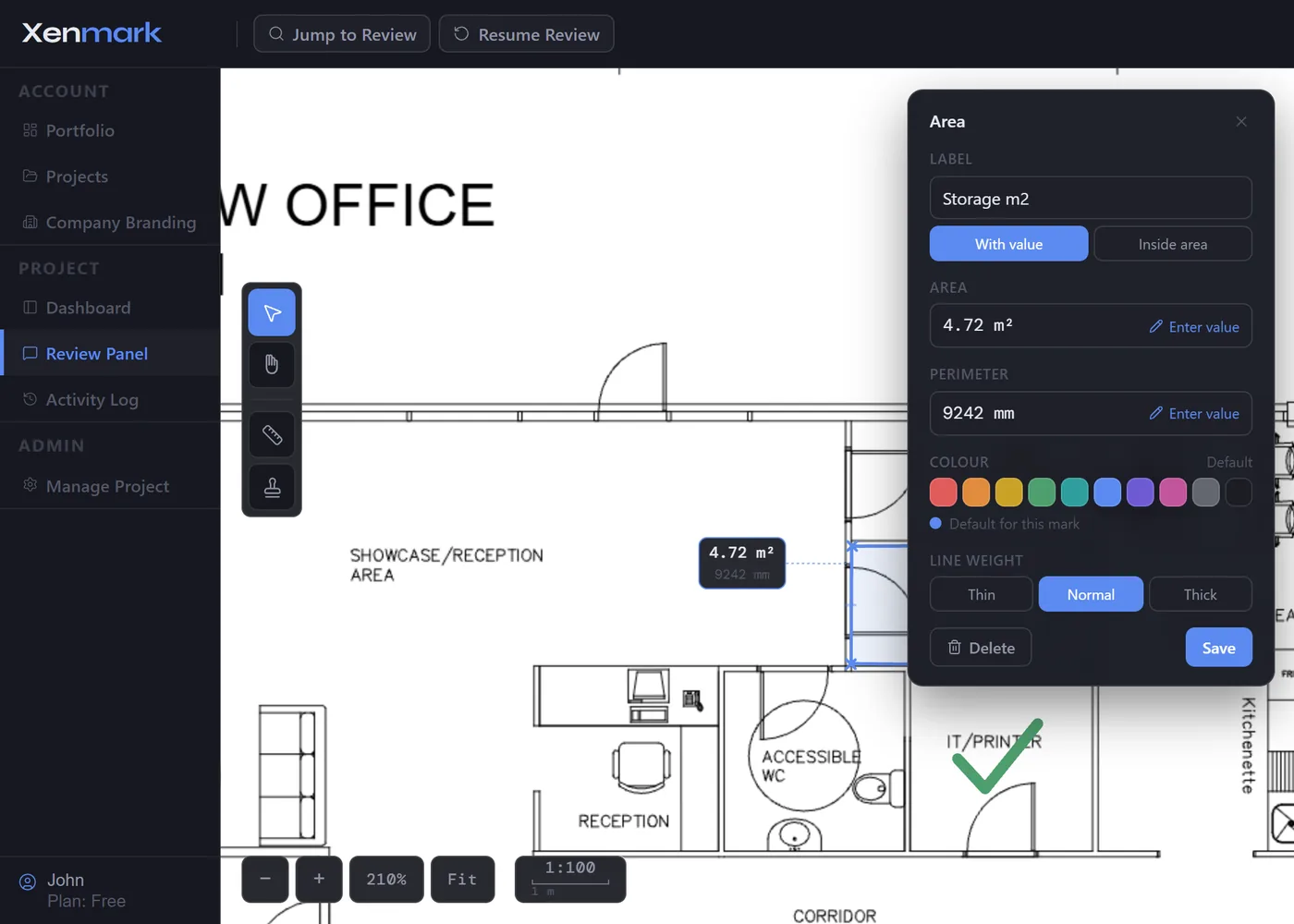
What can you measure on a technical PDF in Xenmark?
You can measure:
- Length between two points;
- Polylength along a route made from several segments;
- Perimeter around a closed boundary;
- Area inside a closed shape.
Those tools cover common review questions such as checking an apparent distance, following a route, estimating the boundary of an area or discussing the size of a room, compartment or work zone.
The measurement belongs on the review drawing so the people discussing it can see the same geometry.
How do you set the drawing scale?
The page scale can be set using a preset ratio, a custom ratio, sheet-format information or calibration against a known distance on the drawing.
Calibration is useful when the PDF scale cannot be trusted from sheet information alone. The reviewer identifies a known dimension and uses it to establish the relationship between the PDF geometry and the displayed measurement.
Calibration sets the scale; it does not validate the drawing itself.
Which measurement units are available?
Measurements can be displayed in metres, centimetres or millimetres.
Use the unit that matches the drawing and the way the review team normally communicates. Consistent units reduce unnecessary conversion during the discussion.
Can a reviewer show a known value instead of the calculated value?
Yes. A calculated measurement can be overridden with a manual value.
That can be useful when the reviewer knows the relevant dimension from another source and wants the drawing markup to display that value during the review.
A manual override is a reviewer-provided value, not a Xenmark verification of the dimension.
How do measurement labels stay readable on dense drawings?
Measurement points can be edited after placement, and captions can be moved away from busy drawing geometry while retaining the visual relationship to the measurement.
That matters on technical sheets where placing text directly over the geometry would hide the detail the reviewer is trying to discuss.
Are measurements part of the review export?
Yes. Measurements and symbols are included in the Comment Plan PDF and project archive workflow. The Excel export includes measurement and symbol data on its own sheet, separate from the comment list.
That means the dimensional review context does not disappear when the review is handed over outside Xenmark.
See Drawing Comment Register & Review Deliverables.
Does a PDF measurement replace a verified site or design dimension?
No. Xenmark measurements are drawing-review aids.
They do not replace:
- site survey;
- as-built verification;
- CAD/BIM model geometry;
- engineering calculation;
- fabrication tolerances;
- controlled design dimensions;
- professional verification where required.
A reviewer can use the measurement to make the question clearer. The responsible technical process still establishes the authoritative dimension.
How should reviewers use scale calibration responsibly?
Choose a calibration reference that is clearly identified and appropriate for the drawing. If the known dimension itself is uncertain, the resulting calculated measurements inherit that uncertainty.
A calibrated PDF can make a review question much easier to discuss, but it should not be treated as a survey instrument. Reviewers should state when a dimension is approximate or when a known field value has been entered manually.
That makes the measurement useful without overstating precision.
When is Polylength more useful than ordinary Length?
Use Length for a straight distance between two points. Use Polylength when the review question follows a route made of several segments—for example a service route, cable path, pipe run or irregular access route shown on the drawing.
Perimeter and Area answer different spatial questions again.
Who can create measurements and symbols?
Current Xenmark permissions allow Project Managers and Editors to create measurements and symbols, while Participants can view them.
Measurement is part of the collaborative review: somebody can add the dimensional markup and another invited reviewer can use it as context while discussing the drawing.